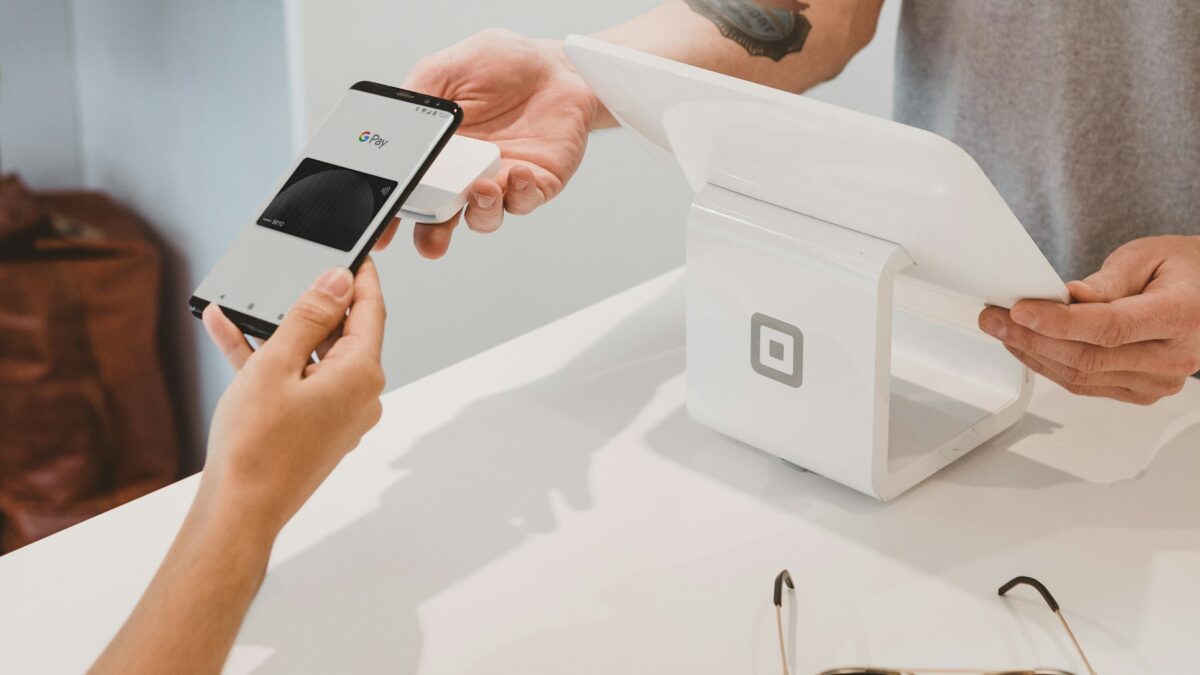
How to Clip Digital Coupons to Your Loyalty Account
The clipping process takes just a few clicks. First, create an account on your store’s website or download its mobile app, then link your physical loyalty card number to that account. Once your card is linked, browse available digital coupons in the app or website. When you find one you want, tap or click a button (usually labeled “Load to Card” or “Add to Card”) and the coupon transfers instantly to your loyalty account. There is no waiting period, though Kroger coupon policy notes that network or connectivity problems may occasionally delay a coupon from becoming active.
You can clip as many digital coupons as you want, though each coupon typically can only be loaded once per household. Most retailers let you remove coupons you don’t plan to use before they expire, though some coupons loaded through special promotions or partner sites cannot be removed. Expired coupons automatically move to an “Expired” section and stop working, so they won’t interfere with your maximum coupon limit on the card.
Digital coupons work at any store location within a retailer’s family of stores. If you have a Kroger coupon policy account, your clipped digital offers work at all Kroger-owned banners. The same applies to other large chains. Store inventory does vary by location, however, so a product covered by your coupon may not be in stock at your local store, meaning the discount won’t apply.
Why Digital Coupons Don’t Apply at Checkout
Digital coupons fail to apply for several reasons, and identifying which one occurred helps you get the discount you expected. The most common issue is that your loyalty card or account number didn’t scan properly at the register. If the cashier scans your physical card but the system doesn’t connect it to your account, the coupons won’t appear. If you forgot your card, some stores let you provide an alternate ID number associated with your account instead. Kroger coupon policy allows customers to enter an Alt ID at checkout if they don’t have their physical Shopper’s Card.
A second reason is that the product you purchased doesn’t match the coupon’s requirements. Digital coupons often specify brand, size, or quantity restrictions. If the coupon says “Buy one 8-ounce Ben & Jerry’s ice cream,” purchasing a different size or brand won’t trigger the discount, even if it’s a similar product. Some coupons require you to buy multiple items or reach a minimum dollar amount. Make sure you bought exactly what the coupon specifies.
Third, you may have clipped the coupon to the wrong loyalty account. If you shop at multiple stores or have multiple loyalty accounts, verify that you loaded the coupon to the card you’re using at checkout. Retailers can only apply coupons linked to the specific account being scanned.
Fourth, the coupon may have expired. Each digital coupon displays its start and end dates. After the end date, the coupon moves to an expired section and no longer works. If you haven’t used a coupon recently, check its expiration date in your account before heading to the store.
Finally, a simple processing delay can prevent a coupon from working immediately after you clip it. Although Kroger coupon policy states that coupons are available as soon as you load them, network issues may slow the transfer. If you clip a coupon seconds before checkout, wait a minute and try again or ask the cashier to manually check your digital coupons.
What to Do at the Register When a Coupon Doesn’t Apply
If you notice at checkout that a digital coupon you clipped didn’t apply to your purchase, speak up before you pay. Alert the cashier and explain which coupon should have deducted a discount. The cashier can look up your loyalty account in the store’s system and verify whether the coupon is loaded. If it is, they can often manually apply it or troubleshoot the scanning issue.
When talking to the cashier, have your receipt or the coupon details handy so you can clearly identify which product and offer you’re discussing. Politely ask them to check if the coupon is active on your account and to manually apply it if the system didn’t catch it automatically. Most cashiers are trained to handle this and can resolve it in minutes.
If the coupon is loaded but the cashier cannot manually override it, ask to speak with a store manager. Managers have more system access and authority to approve adjustments. Be prepared to show them your loyalty account and the coupon on your phone or the store’s website to prove you clipped it.
For issues that arise after you’ve left the store, contact the retailer’s customer service team. Kroger coupon policy directs customers to contact their Customer Service Center if a coupon didn’t apply and they didn’t catch it at the register. Most chains process refunds or issue credits if you can show proof of purchase and the clipped coupon.
The Trade-Off: Privacy for Bigger Discounts
Digital coupons often offer deeper discounts than paper coupons because retailers can target them to shoppers based on past purchases, and the logistics of printing and distributing paper coupons cost more. However, to access digital coupons, you must join a store’s loyalty program, which means sharing your name, address, phone number, and a detailed record of everything you buy. Retailers use this data to build profiles of your shopping habits and preferences.
According to Consumer Reports survey data from February 2025, about 36 percent of grocery shoppers say they use coupons or member discounts frequently, and 80 percent of all shoppers belong to at least one loyalty program. The same survey found that about 3 in 10 loyalty program members felt dissatisfied with at least one of their programs, with 58 percent of those citing that discounts weren’t as good as they expected.
Concerns exist that this shift toward digital-only deals may disadvantage shoppers without smartphones or reliable internet, particularly older adults and lower-income households. San Diego became the first city to require grocery stores to offer digital deals in nondigital formats, and independently, Kroger coupon policy has introduced printed versions of digital deals available in-store on Wednesdays to address accessibility.
Checking Your Receipt After Using Digital Coupons
After checkout, scan your receipt to confirm that digital coupons applied correctly. Digital coupon discounts appear on your receipt directly below the items they apply to, typically labeled as “ecpn” or “digital offer.” If you clipped multiple coupons, each one should show as a separate line. If a coupon you expected to see is missing, you have documentation of the problem for a customer service claim.
Redeemed coupons disappear from your “Active Coupons” section immediately after use but may take until the next business day to appear in your “Redeemed Coupons” list in your account. This slight delay is normal and doesn’t indicate a problem. Expired coupons automatically stop being active on your card and move to the expired section, so you won’t accidentally try to use them again.
 Walmart Activates Shop to Light Feature: What Shoppers Should Know
 Safeway and Target Lead in Grocery Delivery and Pickup What Shoppers Should Know
 Walmart Fall Deals Sale: What Shoppers Should Know About Early October Shopping
 Kroger Uses AI to Predict Ad Performance Before Spending Happens
 Kroger Tests 24 Hour Stores: What Shoppers Need to Know About the Expansion
 Kroger Brings Back 24 Hour Stores What Shoppers Need to Know